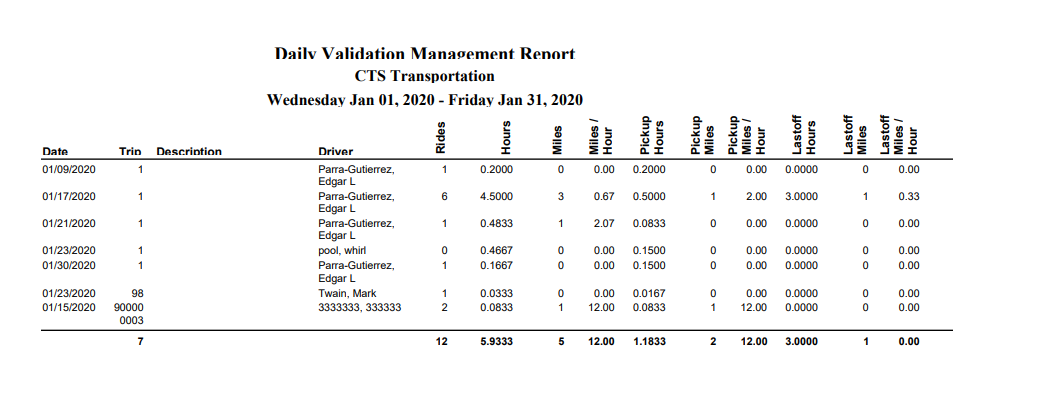
Daily Validation Report
Shows the trip data that has been validated including Trip Number, Site, Driver, The Number of Riders, Miles and Hours. In order for the Daily Validation report to show any information on it, you have to have validated trips and reservations in the particular date range you wish to run this report for. Some of the information on this report is fairly straightforward, but we have elaborated below on some of the others.
Definitions:
Rides = any rider with a Ride Status of Rode, No Show, Not Ready, Client Cancel at Door or Not Present. Admin Cancel or Rider Cancel will not be included in this total.
Hours = trip end time – trip start time
Miles = trip end odometer – trip start odometer
Miles per Hour = Miles/Hours
Pickup Hours = First Pickup time – Trip Start Time
Pickup Miles = First Pickup Odometer – Trip Start Odometer
Pickup Miles per Hour = Pickup Miles/Pickup Hours
Last off Hours = Trip End Time – Last Dropoff Time
Last off Miles = Trip End Odometer – Last Dropoff Odometer
Last off Miles per Hour = Lastoff Miles/Lastoff Hours
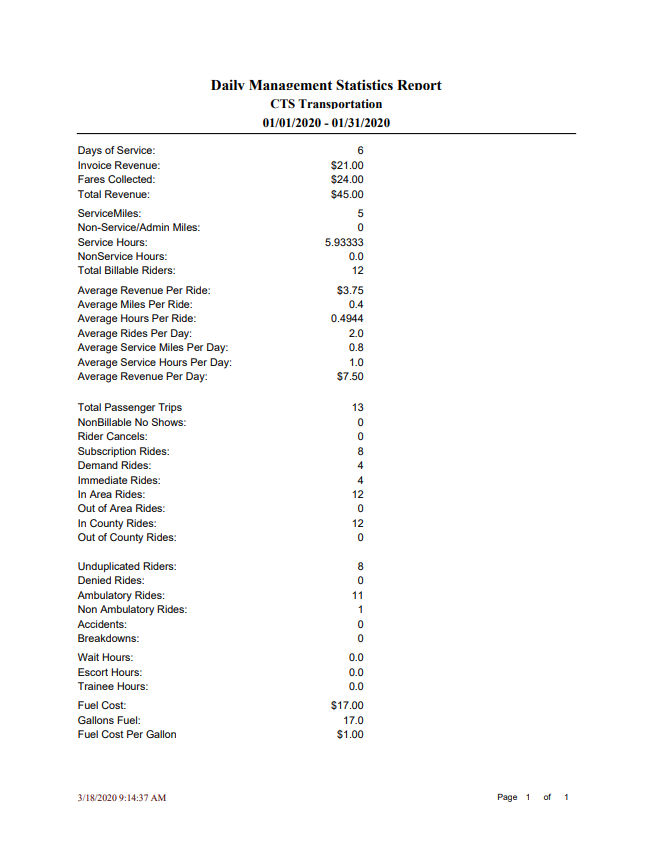
Management Statistics Report
The Management Statistics report, like many of the reports, requires Validated Trips and Reservations. For a lot of the reports to follow, it is important to note that inside each of your Accounts in the Master Pages, there are two checkboxes; one checkbox for Billable, and another for No Show (Billable). Particularly, just keep in mind that if the No Show box is checked, the account does bill for No Shows. Just keep that in mind, as you will see below Total Billable Riders and Non-Billable No Shows.
Definitions:
Days of Service = Total number of days with at least one Validated Trip for a given period
Invoice Revenue =Total billable charges as set in the Account Master
Fares Collected = Total Fares as entered in the Fare field in Rider Data or Rider Data Ordered
Total Revenue = Invoice Revenue + Fares Collected (from above)
Service Miles = Total Miles – Non-Service/Admin Miles
Non-Service/Admin Miles = Total of Admin Miles as entered under Utilities
Service Hours = Total Hours – Non-Service Hours
Non-Service Hours = Total of Admin Hours as entered under Utilities
Total Billable Riders = Total Billable riders including Billable No Shows as checked-in Account Master
Average Revenue per Ride = Total Revenue/Total Billable Riders
Average Miles per Ride = Service Miles/Total Billable Riders
Average Hours per Ride = Service Hours/Total Billable Riders
Average Rides per Day = Total Billable Riders/Days of Service
Average Service Miles per Day = Service Miles/Days of Service
Average Service Hours per Day = Service Hours/Days of Service
Average Revenue per Day = Total Revenue/Days of Service
Non-Billable No Shows = Total No Shows where the account doesn’t bill for No Shows
Rider Cancels = Total rides where ride status is Rider Cancel
Subscription Rides = Total Reservations – Demand Rides
Demand Rides = Total Reservations – Subscription Rides
Immediate Rides = Total Reservations taken on the same day as service needed
In Area Rides = Total as selected within the Reservation
Out of Area Rides = Total as selected within the Reservation
In County Rides = Total as selected within the Reservation
Out of County Rides = Total as selected within the Reservation
Unduplicated Riders = Total Number of Distinct Billable Riders for a period (not how many rides)
Denied Rides = Total Rides denied for any reason from the Holding Pen
Ambulatory Rides = Total Rides – Non-Ambulatory Rides
Non Ambulatory Rides = Total Rides – Ambulatory Rides
Accidents = Total from Accident checkbox in Validation Additional Information
Breakdowns = Total from Breakdown checkbox in Validation Additional Information
Wait Hours = Total from Wait Time End – Wait Time Start fields in Validation Additional Information
Escort Hours = Total from Escort field in Validation Additional Information
Trainee Hours = Total from Trainee field in Validation Additional Information
Fuel Cost = Total from Gas Cost field in Validation Additional Information
Gallons Fuel = Total from Gas Gallons field in Validation Additional Information
Fuel Cost per Gallon = Fuel Cost/Gallons Fuel (from above)
On Time Performance Report
The Ont Time Performance Report provides information on pick-up/ drop-off times for the
selected dates(s) including; date, trip number, rider, scheduled pick-up/drop-off, actual pick-up/dropoff, and whether the pick-up or drop-off was in the selected time range (yes/late/early). This report will
only pull validated data. 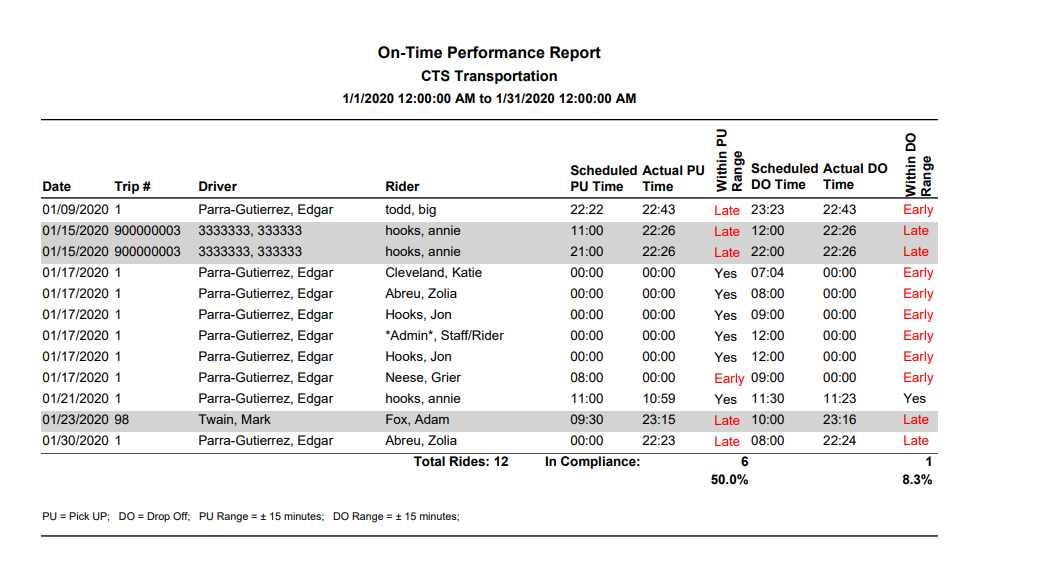
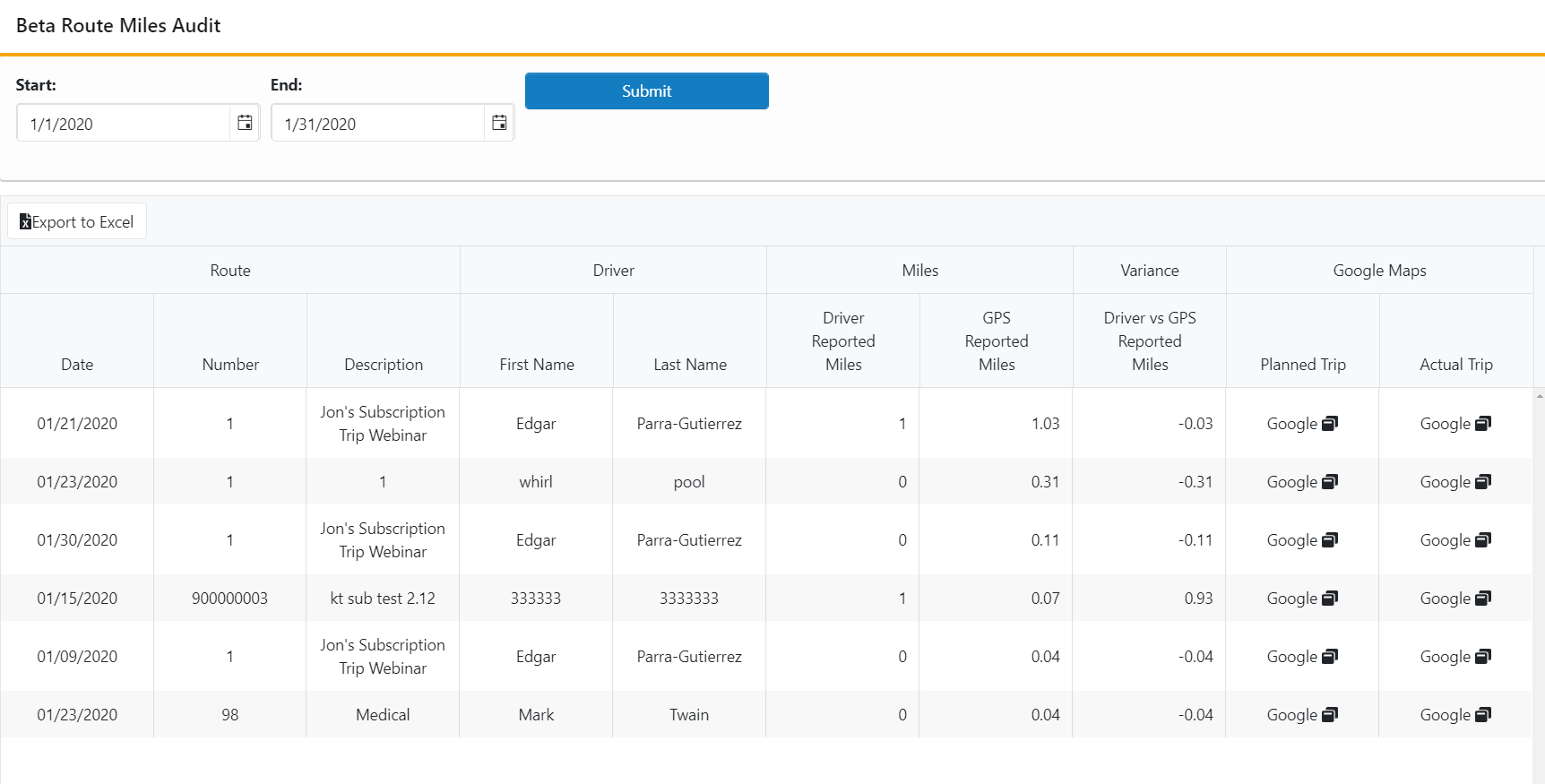
Beta Route Miles Audit Report