
Overview:
The Rider Master includes each riders profile information. From Rider Master you can edit to add or update a rider’s information, create new rider profiles, add a one time or reoccurring reservation, and view past and future reservations.
Section 1: Creating a New Rider
Under Master Pages select Rider Master
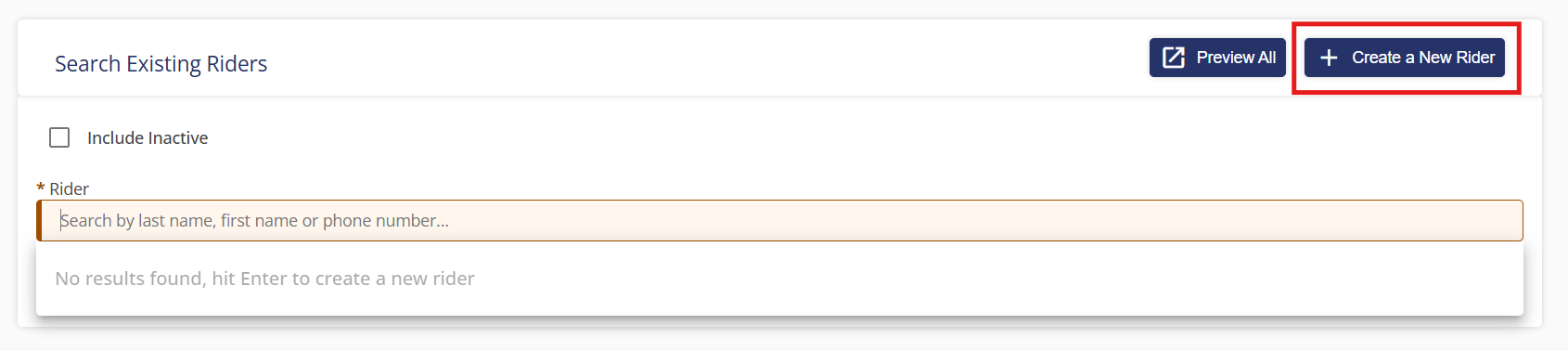
To create a new rider, click “+ Create a new Rider” in the top right corner.
 Section 2: Searching for an Existing Rider
You can search for a rider by first name, last name, or phone number.
Choosing an existing rider will open the rider summary page where you can edit, deactivate, search for another rider, create a demand ride, or create a subscription ride.
Clicking “Edit” will open the rider’s profile and you can make any necessary changes. Clicking “+ Create a new Rider” will open a blank profile to enter the rider’s information. First name, last name, mobility, and home address will be required. You can also enter any additional information you need to track, such as age or gender.
Special assistances allow you to indicate mobility devices such as a walker or disabilities such as hearing impaired. Special directions will show on each reservation for this rider and can be viewed by the driver. Notes are only viewable in the rider master and are meant for dispatch use only.
If you are using reminders, you can select the reminder profile, as well as ensure that "Night Before Reminder" and "On The Way Reminder" are both selected to send out the appropriate reminders. If the rider prefers text messages, you can select this here.
Inputting a home address is required. Additional contact information for their doctor or emergency contact are optional.
You can add accounts (funding sources under which the rider rides). You can also select a default account for this rider.
You can also add a profile picture for the rider.
Once the information is entered click save in the bottom right corner.
You will be returned to the rider summary page where you can create a new rider, create a demand ride or one-time reservation, and create a subscription ride or reoccurring reservation.