
There are a few ways the Play Store can push updates to your tablets. Please review the below-recommended settings to ensure ParaScope updates with minimal manual effort in the future.
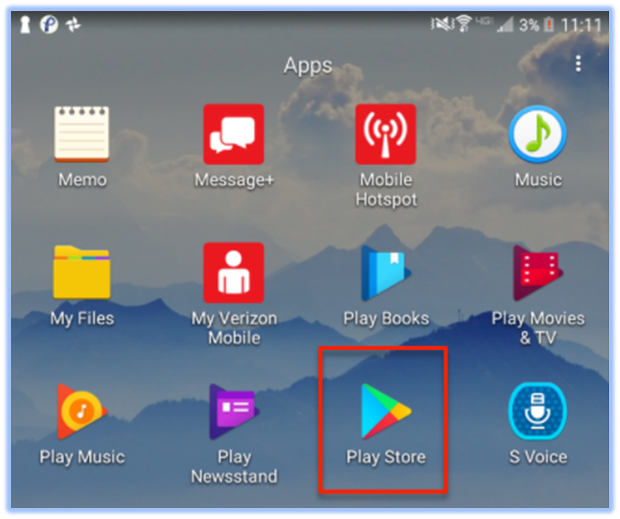
- Locate and launch the Play Store.
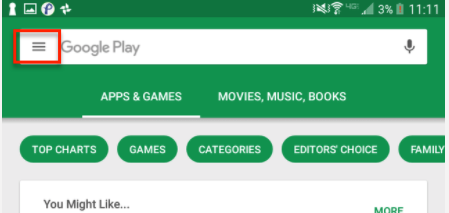
- Click the Play Store menu in the top left corner (three horizontal lines.)
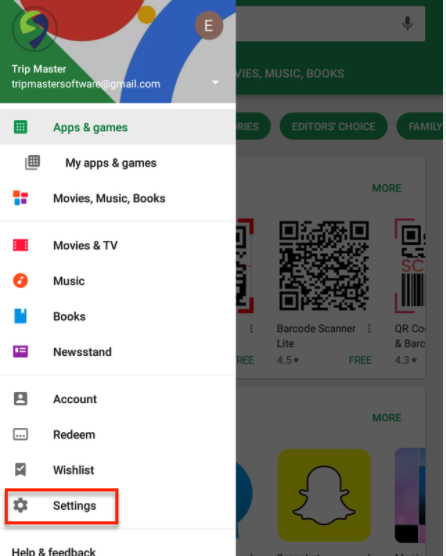
- From that menu, select “Settings.”
- From the Settings menu, select “Auto-update apps.”
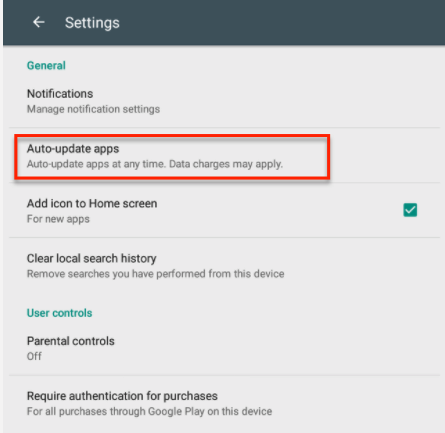
- We recommend you choose “Auto-update apps at any time. Data charges may apply.” Your tablet will now update apps over Wi-Fi OR data, ensuring you are always up-to-date when new versions are released. If you must choose a different selection, see the steps below.
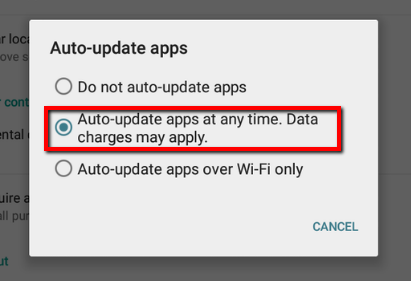
- If you choose “Auto-update apps over Wi-Fi only”, the tablet will not get updates unless connected to a WiFi network.
- If you choose “Do not auto-update apps,” you must update ParaScope from the Play Store manually, by searching “ParaScope CTS” in the Play Store and using the “Update” button.
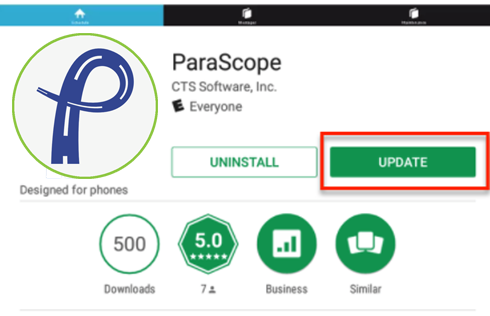
That’s it! Your device is now equipped with the new version of ParaScope and is set to get updates automatically!