
We take pride in continually delivering new features and enhancements to our customers on a regular basis. Here are some of our recent updates!
October 21, 2025
New Features/Updates:
📈Functionality enhancements
AVL has now caching functionality
By adding caching you will be able to view both present and past addresses in the AVL GPS history pins, at any point in time within one year time frame.

North Carolina Opstats report
All the Opstats reports for NC now have Medicaid trips broken into their own categories.
All North Carolina will be able to distinguish between traditional Medicaid and broker trips.

🔧Functionality fixes
Vehicle make showing up on vehicle master page
We fixed the view where VIN was showing up instead of the vehicle make and year.
Now you will be able to see both vehicle make and year correctly displayed in the vehicle list page. Remember: VIN numbers show up in either the details page or in the preview all option.

Delegate rides with the right mobility option
We fixed the mobility information in rides created by the delegates
Now delegated trips contain the correct information on mobility that goes beyond ambulatory.
Rider Portal with scheduled trips post 8PM
Rides can now be booked after 8PM EST and they will be also auto scheduled to the next available route.
August 8, 2025
New Features/Updates:
Functionality Enhancements
Daily Schedule
We have added the account code to the assigned rides grid(middle section) of the Daily Schedule.
TripPortal Setttings
In tripPortal Settings, you can now apply the auto accept and aut deny settings to your delegates.
Note: this does not apply the payment settings to delegates.
AVL
The AVL will now store GPS history for a longer period of time. You can currently pull any vehicle GPS back to November 2024.
Reporting
The NC Operating Statistics report has been updated for 2025 and now includes microtransit data.
May 29, 2025
New Features/Updates:
Functionality Enhancements
This release includes a refreshed user interface (UI) for the Certification Master page. This enhancement aims to improve usability, accessibility, and consistency across the application.
May 22, 2025
New Features/Updates:
Functionality Enhancements
This release includes a refreshed user interface (UI) for the Account Master and Driver Master pages. These enhancements aim to improve usability, accessibility, and consistency across the application.
Account Master
Driver Master
March 27, 2025
New Features/Updates:
Functionality Enhancements
Custom Report Enhancements
We have received your feedback and added more fields to our custom reporting tool!
The Following are some fields that we have added:
-
- Onboarding Duration
- Deboarding Duration
- Broker Comments
- Account Wheelchair Rate
- Account Stretcher Rate
- IVR One The Way Enabled
- IVR Night Before Enabled
- Doctor Name
- Doctor Phone
- Gas Odometer
February 12, 2025
New Features/Updates:
Functionality EnhancementsTripReminders Now Support SpanishWe’re excited to share that TripReminders now support Spanish phone calls! There’s no need to create an additional reminder profile—our system will automatically detect if a rider's language is set to Spanish and translate the call accordingly.  Reservation History EnhancementsWe're enhancing the Reservation History over the next few releases. In this update, we will specify when a change was made through the driver application instead of core.Net.  Other Enhancements:
Bug Fixes
|
November 26, 2024
New Features/Updates:
Functionality Enhancements
Fare Enhancements
We’ve introduced new functionality to the reservation screen for fare and fare overrides. The fare field is now a calculated field, while the fare override field displays the most recently shown value.
The Fare will automatically recalculate if one of the following values change:
- Pickup or Dropoff Address
- Account/Funding Source
- In County / Out of County toggle
- Mobility
If there is a mismatch between these two fields, a warning message will appear to alert the user.
Bug Fixes
- Fare override value not saving when closing the reservation screen.
November 22, 2024
New Features/Updates:
Functionality Enhancements
TripPortal Enhancements
New functionality added to the TripPortal allows the same Microtransit settings to be used with invited TripPortal users.
This gives the ability for invited riders to have requests auto-accepted or denied based on the TripPortal Master settings.
TripPortal Master Update
We have redesigned the TripPortal Master and added new settings to work with Microtransit and TripPortal ride requests.
New Settings include:
- Requiring credit card payment for portal rides.
- Denying the ride if the rider is set inactive.
- Setting a minimum number of hours a request must be sent for approval before the priority time.
Reservation Screen: Credit Card Payment Status
We added a credit card payment status to the reservations screen. This addition will allow you to see if the ride payment is pending, successful, or failed
ParaScope: Credit Card Payment Status
To make reconciliation easier, we have added the payment status for the drivers in ParaScope. This addition will show the drivers if a credit card transaction has failed or was successful.
Note: in order to see this feature, you will need to have the latest version of ParaScope installed.
Import Updates
- The LCP import will no longer overwrite existing rider phone numbers
- New import format added for MTM Link
Bug Fixes
- E-Pass being charged multiple times at a stop
- AVL defaults to first pinged location after zooming in to view the GPS history
- Where’s my ride link not working for some providers
August 14, 2024
New Features/Updates:
Functionality Enhancements
Automatic Vehicle Locator (AVL) Upgraded to Google Maps
We're excited to announce significant upgrades to the AVL feature in TripMaster, including a transition from MapBox maps to Google Maps and several feature enhancements.
- Improved accuracy and superior map quality
- Smoother map interactions and quicker load times
- Enhanced vehicle markers and status information
Improvements
Quick Seating
- Quick Seating will ensure that rides are no longer scheduled during driver breaks.
- Drivers will now receive accurate updates to their schedules, reflecting these adjustments
TripScheduler Performance
- Automatic Vehicle Mobility Rescheduling: TripScheduler now automatically reschedules trips when there’s a change in vehicle mobility, including updates to lift availability, ensuring that your schedules are always aligned with vehicle capabilities.
- Post-Trip Inspection Adjustments: The system now correctly reschedules trips when changes are made to the "Include Post-Trip" and "Post-Trip Duration" fields, reflecting your preferences more accurately.
- Scheduling Spinner Animation Improvements: We’ve optimized the scheduling spinner animation for a smoother and more responsive experience when managing your trip schedules.
June 10, 2024
New Features/Updates:
Functionality Enhancements
Toggle Overlays on Reservation Page.
Dispatchers can now toggle map overlays on the Reservation page to simplify reservation creation. Above the map, there are buttons for each overlay used by your company. Click a button to hide or show the overlay.
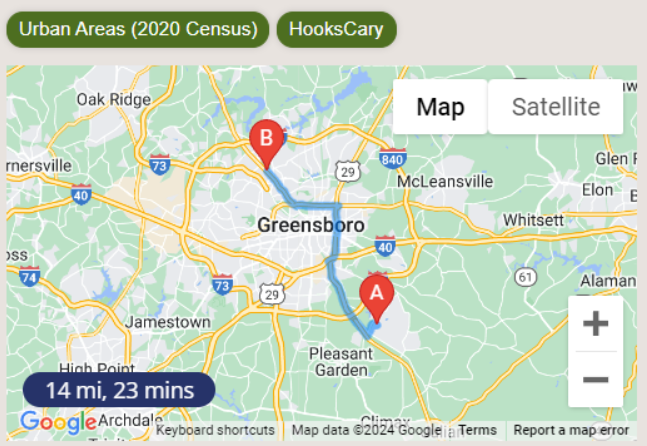
*Note: Overlays are needed for this feature please reach out to your Account Executive or our sales team for more information and pricing.
Emergency Contacts List.
You can now save up to four email addresses in the Emergency Contacts List on the Company Master page for TripMaster outages. These contacts will receive TripSheets in the unlikely event of a TripMaster outage.

Misc.
In addition, we have implemented various bug fixes, report updates, import additions, UI improvements, and performance enhancements in this release.
May 22, 2024
New Features/Updates:
Functionality Enhancements
Scheduling – Scheduling drivers/vehicles in certain areas using overlays.
We know sometimes drivers and/or vehicles need to stay in certain areas, so we have made some changes to the TripScheduler. You can now add an overlay to a route or subscription route and the TripScheduler will only assign rides within that overlay to that route.

*Note: Overlays are needed for this feature, please reach out to your Account Executive or our sales team for more information and pricing.
Dashboard
We have added a daily dashboard to see real time stats and updates.
You can access the dashboard with the new button on Daily Schedule.


SafeRide Billing Export
We have added an option in Passenger Billing to pull a SafeRide billing export for easier submission in the SafeRide Portal.
You can access the export by going to Billing>Passenger Billing, and selecting the "SafeRide Claim File" from the Bill Type dropdown.
March 1, 2024
New Features/Updates:
Functionality Enhancements
Default Trip Number – Rider Master
We know broker integrations will sometimes send you rides months in advance, we now have an option to move the rides that already exist in the system to the default trip number when adding it to the rider master.
Rider Image in Rider Master
We have added the ability to add rider images to the Rider Master. Coming soon will be the ability to display these images on ParaScope.
Bug Fixes
- Save and Swap not returning users to the top of the reservation page
- Reservation Page: Edit Windows Override doesn't keep newly entered times
December 6, 2023
New Features/Updates:
Functionality Enhancements
Customizable UI Themes
You can now customize the look and feel of the latest TripMaster user interfaces by choosing one of three distinct color modes
 Note: You’ll be able to switch color modes at the bottom of any of our newer screens

Site Master
The Site Master has been updated with Google Maps integration and a revamped user interface
 Dynamic Fares
The Account Master now has options to create dynamic fares considering mobility types, ride miles, in/out of county, etc.
 TripScheduler Filters
The Route and Holding Pen Filters have been combined into one convenient location. In addition, this release includes filter-related bug fixes.
Overlay Master
Urban map overlays have been updated to reflect the latest 2020 census data
TripCalendar
More useful information was added to the ride cards including priority time and mobility icons
October 2, 2023
New Features/Updates:
Functionality Enhancements
Reservation Page Interface Update
You will notice the Reservation Page has had a facelift! All functionality remains the same, but this page now has a fresh look.
Import Updates
-
AccountBaseRate has been added to Custom Reporting under the Ride menu
-
Fixed column mapping for WillCall rides in LCP Pending Rides import
-
WellTrans import now imports number of children
Bug Fixes
-
Departure Times added to Stop Statistics report
-
Fixed sorting and scrolling issues in TripPass History view
-
TripPass will now warn you when you attempt to create an ePass for a rider with an active ePass
-
TripScheduler now recalculates routes when the number of assigned rides stays the same
-
Rider Master account search now allows searching by account codes
-
Rider Summary now sorts Demand Rides and Subscription rides by date and then time
-
Rider Master ride reminders default to on when this option is checked in the Company Master
-
Reservation Page: Creating a new ride on a future date now populates the future date correctly
July 18, 2023
New Features/Updates:
To keep up with the latest and greatest code, we’ve updated some of our screens. All functionality remains the same, but these pages will have a fresh look.
- Rider Master
- TripPass/Pass Management
- Purpose Master
- Updates to the Secure Broker 2 import
- TripScheduler route loading spinners kept spinning
- Medicaid Entity Master 404 error
- Schedule Profile Master unable to edit requested pick up and requested drop off times
- Unable to view denial reasons in TripPortal
May 4, 2023
New Features/Updates:
NEW – Notes
Say goodbye to scratch pads, sticky notes, and the myriad of other programs to keep track of your TripMaster notes. Now you can click on the new Notes button on the left side bar to add, edit, and delete personal user notes. Admin Notes are administered by CTS and are viewable by all users.
Import Updates
- SoutheastTran s name changed to Verida
- WellMed phone number mapping corrected
- Secure Broker 2 escort import added
- American Logistics fare mapped to adjustments field
Bug Fixes
- Enable Swap and Save when editing a TripPortal reservation
- Early Dropoff Flexibility not showing in Schedule Profile Master
April 11, 2023
New Features/Updates:
NEW – Gender Master
Introducing Gender Master. This new feature allows you to define, add, and report on unlimited custom Gender Types.
The current Gender Types of Female, Male, and Unspecified will continue to be system-generated types. New custom Gender Types will be reported under code U so that existing reports will be unaffected. Gender Description is now available in Custom Reporting under the Rider section for more detailed reporting.
February 27, 2023
New Features/Updates:
TripPortal Changes
The Delegate Ride Request page now includes Mobility and Escorts. Also, if a return ride is requested, the Delegate will return to the Ride Request page for easier review and editing.
The Request Pending page has a new look.
TripMaster Ride Request List
New filters on the TripMaster Ride Request List help you quickly see the rides to review and find rides you are looking for. Note the type filter defaults to Requests rides only.
Delegate Organization Master
Update to Delegate Organization Master has a new look and feel, and you can now manage Delegates on the same page.
December 15, 2022
New Features/Updates:
NEW FEATURE ALERT! – Out of Service Dates
You can now set up OOS Dates to get warnings on the Reservation Page and Daily Schedule Routes.
Go to Master Pages -> Out of Services Dates Master to add dates.
Join December’s Monthly Training Webinar tomorrow, December 15th at 11:00 AM ET to learn more.
TripScheduler Rollout
Over the next few weeks, we will continue to out TripScheduler to all customers that currently have AutoScheduler. You will still have both scheduling options, but the long-term plan is to deprecate AutoScheduler sometime in the future. Please plan on joining January’s monthly webinar on TripScheduler to learn more.
Other Enhancements
- Zip Code added to the Rides section of Daily Schedule
- PickupArrivalOdometer added to Custom Reports -> Rides
-
Two new NTD Route and Ride audit reports to help you increase the accuracy of your reporting
Bug Fixes
- In Site Master, manually moving marker on the map did not trigger Urban detection
November 15, 2022
TripScheduler Rollout:
Over the next few weeks, we will be rolling out TripScheduler to all customers that currently have AutoScheduler. You will still have both scheduling options, but the long-term plan is to deprecate AutoScheduler sometime in the future. Please plan on joining January’s monthly webinar on TripScheduler to learn more.
New Features/Updates: Overlay Master
You can now load and manage custom overlays for the Reservation Page, Site Master, and AVL maps. Contact the CTS Sales Team for information about adding this feature.
By default, you have the Urban Areas overlays for your state as indicated in Company Master. You can manage where this is displayed by going to the Overlay Master on the Master Pages menu, then clicking on the three dots to the right of the Urban Areas (2018 Census) label, then clicking Edit. There you can check or uncheck the screens to show the overlay.
Other Enhancements
- New Wellmed import
- Allow Special Assistances to be displayed on Daily Schedule
- Change the Cancel button in the Rider Edit screen to return to the Rider Summary page
Bug Fixes
- "Notify" Message text opened an inaccurate reservation link
September 26, 2022
New Features/Updates:
This release includes several performance enhancements that will not impact any user processes or functionality with the following exceptions:
- Removed vehicle and driver warnings from TripSync billing for Modivcare
- In TripSync for Modivcare and MTM, we changed LOS to reflect what the broker sent
- In validating Vehicle Maintenance Requests, Cost is no longer a required field
Bug Fixes
- Pass Management search/lookup wasn’t working
- Corrected error when editing pickup and drop-off window on subscription rides
- Deactivated Special Assistances were still available to assign to Drivers and Vehicles
- “Notify” links in Messages opened an inaccurate reservation link
September 19, 2022
New Features/Updates:
This release includes several performance enhancements that will not impact any user processes or functionality.
Bug Fixes
- Correction to AZ Daily Trip Log report stuck on loading
- Pass Management issues
- AVL History button was missing on prior days
- Billable Miles Report not filtering by Account
- Test Reminder Profile calls and texts were not going through
August 23, 2022
New Features/Updates:
Fields added to the Pre/Post Trip Inspection Report
- Vehicle information
- Name of Escort Driver in Transportation Aid
Bug Fixes
- Route Data Report did not sum all routes together for the month
- Provide a Ride Import brought in canceled rides
- MTBA Import did not import rider phone number if it is not on the return trip
- Access2Care file imports sometimes send messages to brokerlink without ContractId or BrokerId
- TripPortal gave an error after a user session times out
July 5, 2022
New Features/Updates:
Daily Schedule Filter Updates
BIG CHANGES TO FILTERS – See the training video
The Provider search and More Options have moved to a new Advanced Filters pop-up window
In the new Advanced Filters pop-window
Filter selections save when you log out, so you will need to Clear Filters to return to viewing all Routes and Rides.
You can select multiple Providers, Purposes, Mobilities, and Accounts
Provider and Purpose apply to Routes and Rides. All other fields apply to Rides and Routes with Rides that match the filter(s).
County is a “contains” search. For example, entering ash will filter Washington and Ashing counties.
New More Options button
Allows you to customize the columns on Daily Schedule
New Direct Drive Distance adds the direct-drive mileage to the Holding Pen
Spanish Version of ParaScope
Drivers can now select to view ParaScope in Spanish by selecting Espanol from the Language dropdown on the login page.
Custom Report Fields Added
- Certifications -> DBStatus
- Certifications -> Interval
- Certifications -> Name (of the Certification)
- Certifications -> Driver related fields
- Ride -> AccountBaseRate
- Ride -> AccountHourRate
- Ride -> AccountMileageRate
- Ride -> RideScheduleProfile
- Rider -> Language
- Rider -> FullName
- Rider -> RiderScheduleProfile
- Rider Account -> AccountCode
- Rider Account -> AccountName
- Rider Account -> AccountNumber
- Rider Account -> Comments
- Rider Account -> ExpirationDate
- Rider Account -> MonthlyRideCount
- Trip -> VehicleOwner
Other updates
- Rider middle initial added to Daily Schedule
- Provider Filter added to TripScheduler
Bug Fixes
- Re-order Daily Validation Report
- TripScheduler error when saving results and routes are canceled or excluded
- DirectDriveDuration field in Custom Reporting doesn't allow Sum Option
June 16, 2022
New Features/Updates:
Daily Schedule Updates
- The word “Trip” is changed to “Route” on Daily Schedule and TripCalendar
-
Quick Seat now only looks at the filtered routes
- Provider Filter added to AVL
-
Driver Phone Number added as a variable to the Ride Reminder Profile list You can now view multiple picks and drops on a map by selecting multiple rides on a route, right-clicking, and selecting Map
Monthly Assigned Rides
This is a new functionality that allows you to limit the number of rides a rider has during the month by account. Just add the number of rides to the Monthly Ride Count on the rider’s account in Rider Master or in Edit Eligible Accounts from a demand or subscription reservation. If a new reservation or subscription ride causes the rider to exceed the number of assigned rides during that month, an error will show under the Account field and the reservation cannot be saved. Note: Leaving Monthly Ride Count blank will not limit the number of rides.
The Monthly Assigned Rides Report has been added to the Reports -> Rides menu. Here you can see a list of rides by rider by account when the rider/account has the Monthly Ride Count populated. Rides in RED such as Cancels and No Shows do not count toward the rider’s number of rides for that month.
Other updates
- Provider Filter added to AVL
- Driver Phone Number added as a variable to the Ride Reminder Profile list
-
Bug Fixes
- TripCalendar view kicked users out during scheduling
June 2, 2021
New Features/Updates:
- WC mobility Added to Land of Sky Import
- New Pre and Post Trip Inspection Report in VMM
- Show LOS in Custom Reports (ride view)
Bug Fixes
- Reports with Check All button did not clear the checkmarks after the form is submitted
- FLTD report displayed an "An unrecoverable error has occurred" message when submitting
- Lift Required mobility displayed as ambulatory on trip sheets
- Driver names did not show on Employee Hours Report
- TripScheduler button text did not fit on the button at some resolutions
- Some zip codes were missing leading 0
- Map View did not update in TripScheduler
May 19, 2022
New Features/Updates:
TripCalendar Updates
If you haven’t checked out TripCalendar for scheduling, it is better than ever with these updates:
- Time Increments changed to 5 minutes
- Dragging a ride from the Holding Pen to a route retains the original priority times and scrolls to the ride card
- Provider ride filter added
- Broker Deny and Cancel reasons added to ride filter
-
If a ride has 00:00 for the pickup or dropoff time, estimate the ride duration as 30 minutes and:
- Pickup is 00:00 and dropoff has value, the ride card is at the dropoff time
- Dropoff is 00:00 and pickup has value, the ride card is at the pickup time
- Pickup and dropoff are 00:00, the ride card is at the top of the calendar
Bug Fixes
- Disabilities were not reflected on Custom Reports when multiple Special Assistances are assigned to a reservation
- SafeRide import WCX mobility was importing as Ambulatory instead of Wheelchair
April 27, 2022
New Features/Updates:
- Fixed Route Stop Statistics Report includes Flag Stop data
- Capture the first stop and last stop odometer and time in Route Validation for Fixed Routes
Bug Fixes
- Changing in-transit routes on TripCalendar did not send updates to ParaScope
- Could not add requested dropoff to future pickup priority reservations
- Limited users got a blank Custom Reports page
March 22, 2022
New Features/Updates:
TripSync View Changes
Single ride review is back due to popular demand.
Other
- Remove the limit on amounts added to a TripPass
- Create separate credit and debit transactions on a TripPass when a driver collects more than the trip fare.
- Deprecate legacy Account Master and Schedule Profile Master pages
Bug Fixes
- "Lift Required" rides were not scheduling in TripScheduler and Quick Seat
- Vehicle Master max character limit on Vehicle number should give a field warning
March 8, 2022
New Features/Updates:
TripSync View Changes
You can now easily see ride changes and updates from brokers. This will include changes to times, addresses, statuses, and more.
Click here to watch a quick video https://drive.google.com/file/d/1HVkxJwGOa0ipVfn5VEBOb5ZIgr1xpn3j/view?usp=sharing
Rider Age Added to Rider Master and Reservation Page
The rider’s age in years is displayed on the Rider Master page and Reservation page header. Note the age is as of “today” or the date you are viewing the record.
Denied Reason Added to TripPortal
TripPortal users can view the reason a ride request was denied by hovering over the Denied status.
Other
- When a user enters a requested PU or Requested DO time, Scheduled time is automatically filled in
- GRITS/AACS Import
- Kaizen Import
Bug Fixes
- TripPortal emails could not start with four or more numeric digits
- Approved/Denied for a TripPortal ride does not show until page is refreshed
- Address is duplicated on the address selection dropdown in TripPortal
- TripPortal rides can be approved multiple times in TripMaster
- TripScheduler breaks when break is removed
- NTD Revenue miles are incorrect when a break is removed from a route
March 2, 2022
New Route Validation Warnings
We are excited to announce the addition of Route Validation Warnings to TripMaster Daily Schedule!
This at-a-glance feature gives Dispatchers a new tool to quickly see and correct potential errors on a Not Validated route. The number of warnings on a route are displayed in a new column on Daily Schedule. By hovering over the yellow highlighted warning, you can see the warning description.
These are only informational warnings and will not change any TripMaster or ParaScope functions.

Below is the list of potential warnings. Click here for the reference guide with warning definitions and how to fix the causes.
Validation Warnings List
- Vehicle not assigned
- Vehicle cannot meet capacity requirements of at least one ride
- Vehicle cannot meet assistance needs of at least one ride
- Vehicle is scheduled to be out of service during the route
- Vehicle is assigned to overlapping routes
- Driver cannot serve assigned child rider
- Driver excludes at least one rider
- Driver cannot meet assistance needs of at least one ride
- Driver is assigned to overlapping routes
February 23, 2022
New Features/Updates:
Vehicle Out of Service Periods
You can now add Out of Service Periods in Vehicle Master. These dates will be included in Route Validations – See Coming Soon below.
Coming Soon – Route Validation Alerts
Route Validations will be released soon! Watch for details in upcoming release information.
This will be an at-a-glance feature on Daily Schedule to quickly alert Dispatchers when there are potential errors on a route. Mouse hover-over lists error descriptions.
Other
- The Data Dump Report has been added to the Core Profile
- TripMaintance Status is new in Custom Reports
- Rides per Hour was added to the Management Stats Report
Bug Fixes
- Where’s My Ride was allowing users to click I’m Ready for the B Leg Will Call before the A Leg was completed
- TripMaintenance suggested service when a deactivated service plan assigned
- SafeRide import was updated to reduce duplicate sites being created
- Lift was showing for non-lift vehicles in the Vehicle Master Preview All
- Mobility aid symbols in TripCalendar only showed the wheelchair symbol
January 26, 2022
New Features/Updates:
Introducing Quick Seat for TripScheduler (Beta)
This function is only available with our TripScheduler (Beta), if you would like to have this added please contact our support or training team.
- You can now schedule a single ride by right-clicking it in the Daily Schedule Holding Pen and selecting Quick Seat Ride
- Select the route and time to seat the ride from the options. It is that easy!
TripPass Cash Collected by Drivers
- Cash collected by a Driver for a TripPass above the fare amount will now be credited to the Rider’s pass balance
TripCalendar Updates
- “Select All” is now available on Filter by Ride Status
- You can now add a route from TripCalendar
- Site Name is added to View Details option
TripReminder Changes
- When “Send OTWs for Pickup Priorities” is checked on a Reminder Profile, a message will be sent to the Rider for a Will Call Ride when the Driver clicks On The Way
- If the Vehicle Make is blank, the reminder message will read blank for that field
TripScheduler Improvements
- Times now always display in the Dispatcher’s time zone
- The Map feature moved from a button to a tab
Bug Fixes
- Blank Ride Dates in a Ride Import File Should Error
- Broker rides in certain statuses can be set back to not validated, including On The Way and Pickup Arrived
January 11, 2022
New Features/Updates:
TripReminders Has New Features
TripReminders has new features
-
You can now add the following fields to calls and texts in Reminder Profiles:
- Driver First Name
- Driver Last Name
- Vehicle Make
- Vehicle Type
- Reminder On the Way messages can be sent for Pickup Priority rides
- You can choose to send an On The Way reminder when your driver clicks On The Way in ParaScope. The pickup time for this option will be calculated based on the travel time from where the driver is when On The Way is clicked and the Pickup Address.
-
Where’s My Ride Map
- For On The Way text reminders, you can now include a live map showing the current location of the vehicle – Please contact Sales to add this feature.
TripSync Improvements
We are continuously working with brokers to improve this process. This release includes:
- When ModivCare’s system is not accepting events we have increased the number of times we retry sending the events.
-
Billing validations have been enhanced and the following will show as errors:
- Pickup not validated – Meaning the pickup was not performed on ParaScope
- Dropoff not validated – Meaning the dropoff was not performed on ParaScope On The Way not validated – Meaning the driver did not select on the way on ParaScope
- Signature Not Captured – Meaning an electronic signature was not captured on ParaScope
- Zero Bill Amount – This can be fixed by applying your rates to the ride
- The Broker has canceled the ride – this means the broker canceled the ride after it was performed.
NTD Report Update
In accordance with the FTA requirements, deadhead hours and miles now exclude pre and post-trip inspection and break times. For more information see Page 121 Exhibit 33 for sample scenarios in the NTD Reporting Policy Manual.
Bug Fixes
- Mapping county lookup is corrected
- Provide-A-Ride import now uses the Earliest Pickup Time as the Pickup Time
- The Site Master county error message has been corrected
November 9, 2021
New Features/Updates:
File Import Updates
- New import for LCP
-
The following imports now use the ride date in the file instead of the date selector on the Import page
- American Logistics
- AMR Access 2 Care Manifest
- CTS Manifest
- WAVE Manifest
- UHC/Amerigroup Manifest
- VEYO
Bug Fixes
- WellMed import dropoff address was incorrect
October 26, 2021
New Features/Updates:
File Import Updates
- The Ride Date Selector is disabled when the Ride Date comes from the import file.
- MTM Manifest import now uses the Appointment Date in the file as the Ride Date.
Miscellaneous Changes
- New import for First Transit Novus
Bug Fixes
- WellTrans file would not import
- WelMed file would not import
October 13, 2021
New Features/Updates:
ParaScope Update for Broker Rides
In ParaScope, No Shows for all Broker Rides (including ModivCare) will no longer have the following options:
- Not Ready
- Not Ready Will Return
These two options can erroneously cause a transportation provider to fail on-time performance, so drivers will not have them on the No Show reason list. These reason options will still be available on non-broker rides.
Miscellaneous Changes
- Veyo import is updated to the new format from the broker
- Purchaser Name, Assigned Rider First Name, & Assigned Rider Last Name are added to the Pass Details Menu options in Custom Reporting
Bug Fixes
- Special Assistance Disability was not reporting correctly in the Ride Data Report
September 28, 2021
New Features/Updates:
Miscellaneous Changes
- OdometerNumeric was added to Custom Reports in the Vehicle Maintenance section so a report can be sorted numerically
- Charge Override was added to the ModivCare Trip Log in Passenger Billing
Bug Fixes
- TripCalendar 00:00 were not showing for the Holding Pen rides
- Driver Certification displayed a negative Due in Days value
- The number of escorts was not updating on a change from ModivCare
- Some Audit Done on Times were displaying the incorrect times in Reservation History and Custom reports when the provider was not in Eastern Time
September 15, 2021
New Features/Updates:
Miscellaneous Changes
- TripCalendar is now available from the shortcut button on Daily Schedule
- Added a warning popup to TripSync Billing when Apply Rates is clicked - "Applying rates will override the current billable amount, do you want to continue?"
- For manual file imports, Pickup and Dropoff time adjustments apply only to Dropoff Priority rides
Bug Fixes
- The “Rides by Purpose Report” was duplicating lines
- In County determination was updated to match when the word County is present or not (e.g., Knox County is a match for Knox)
- TripScheduler was not recalculating routes when rides were unseated
August 31, 2021
New Features/Updates:
Miscellaneous Changes
- “Logisticare” and “Circulation” labels have been updated to ModivCare
- Reservation Page History status descriptions have been improved
- Welltrans import added
Bug Fixes
- American Logistics import missing times
- Riders should not have more than one ePass
- ePass Transfer Funds was missing the Pass ID field
- Logisticare (ModivCare) Trip Sheet was cutting off Auth #
- Call the Care import LOS for Stretcher was incorrect
- Ride Charge column in TripSync did not sort
August 17, 2021
New Features/Updates:
Zip Code added to the Holding Pen
Zip Code has been added to the Pickup Location and Dropoff Location in the Holding Pen
Miscellaneous
- Stretcher logic added to American Logistics import
- New import for WellMed
- Copying reservations created in TripSync is disabled because this is not allowed by brokers
- TripSync rides must be denied one at a time since different brokers have different deny reasons
Bug Fixes
- Two ePasses for a rider causes ParaScope to stop route updates
- Seating or changing a single ride does not send a ParaScope notice until another change is made
- Seating or moving multiple rides for a rider only sends one notice to ParaScope
- Special Assistance Disability is not correct in the Ride Data Report
May 19, 2021
New Features/Updates:
ePass is Here!
Many of you have asked for a “passless” feature where a rider’s cash or flex account is automatically depleted for a trip. This is now part of the existing TripPass module, but can also be purchased separately.
For purchasing information contact your Account Executive or the Sales Team at (800) 704-0064 or
Click here for ePass training documentation.
Bug Fixes
- Wrapped text from reporting did not export to Excel correctly
- NC stretcher was billing with the ambulatory procedure code
- TripSync Events tab did not display times in the customer time zone
May 6, 2021
New Features/Updates:
The vehicle license plate number was added to the A2C Trip Log
Bug Fixes
- Routes with Will Call rides always had late status
- Could not save a reservation after an attempt to save with a missing address
- Medicaid Billing menu item was missing
- Help button should hide when user double clicks
April 29, 2021
New Features/Updates:
Ride Import Time Adjustments
You now have the option to adjust the Pickup and Dropoff times when using a file import. This will only adjust rides that are imported as Dropoff Priorities in TripMaster.
For example: To increase on-time performance when a broker requires the rider to be dropped off 15 minutes prior to the appointment time, you would adjust the Dropoff Priority Time by at least 15 minutes and could opt to also enter an amount in the Pickup Time Adjustment.
Bug Fixes
- Daily Schedule ‘Lock Subscription Trips’ did not unlock
- Eliminated scroll bar at the bottom of the Reservation History Page
- Corrected Driver DOB incrementing
March 25, 2021
New Features/Updates:
TripPass
You can now add and edit notes in Pass Management.
AVL – Print History
You can now print the Print History information in AVL.
Reservation Page – View History Updates
- Show status (Rode, Cancel, etc.)
- Layout enhancements to improve user experience
TripSync
Billable Mileage has been added to Broker Comments for ModivCare rides in TripSync.
Bug Fixes
- Fixed Routes Stops duplicating in ParaScope during peak load
February 25, 2021
New Features/Updates:
Reservation and Subscription Reservation
You can now easily see changes to a reservation by clicking on the History button at the top of the Reservation and Subscription Reservation pages.
Site Master
Searching for a location begins to return results with only one or two characters.
TripSync
We added Billing Mileage to the TripSync Review page.
Vehicle Maintenance – Vehicle List
The Vehicle List in Vehicle Maintenance returns only active vehicles.
Bug Fixes
- Direct Mileage is not accurate in Custom Reports for ModivCare Trips
- AVL screen Search for Location does not clear and gives an error
- Custom Charge name does not show up on the reservation
- Cannot clear start and end depot in subscription routes
- The reservation page creates duplicate rides when save is clicked multiple times
February 4, 2021
New Features/Updates:
Broker Tools
Ride counts by status in Broker Tools are back.
Reservation Page
The overlapping ride warning will not show if a ride has a non-priority time of 00:00.
Site Master
The location search returns result after one character is entered instead of three characters.
Reporting
To improve overall application performance, some reports are now limited to a one-year period.
January 28, 2021
New Features/Updates:
New Broker Imports
Manual Imports
- Intelliride
- Land of Sky
- Novus
Site Master Enhancements
- The location search returns result after one character is entered instead of three characters.
- Address 2 has been added to location search results.
- The new edit button allows you to manually geocode a location. Just click the edit pencil icon and click on the map to set the pin.
Bug Fixes
- Improvements to ATMS imports for duplicate riders, drivers, and vehicles
December 16, 2020
New Features/Updates:
ATMS LogistiCare Import Supports Multiple Contracts for a Provider
Beginning Thursday, December 17th you can use Broker Tools if you have multiple contracts/providers with LogistiCare. With your initial login, you will be asked to confirm some information. If you only have one contract with LogistiCare, all you have to do is hit Save. If you have multiple contracts with LogistiCare, please make sure you are using your primary login.
Note: This is a one-time-only action. The first user to log into LogistiCare will be the only one to confirm the information.
Below is a link to a quick tutorial.
https://drive.google.com/file/d/1xYiPphhiLhCIOytR78VJSP06nufZzMGD/view?usp=sharing
Additional Fields in Custom Reporting
The following fields are now available in Custom Reporting. The field folder is noted in parentheses.
- Trip Description (Trip)
- Trip Notes (Trip)
- Doctor Information (Rider)
- Default Trip Number (Rider)
- Day of Week for Fixed Routes (Trip FlagStops)
- Admin Miles (Note: Can only be used with Admin Miles fields, including filters)
Address 2 Displayed in Search
The Address 2 field is now visible when searching in Site Master.
Search by Reservation Number
You can now search for a ride by Reservation Number in Daily Schedule. Also, Reservation Number is now on the Ride List in Rider Master.
Filter the Predictive Revenue Report
Not Validated has been added to the filters in the Predictive Revenue Report
Bug Fixes
- ParaScope GPS reporting null latitude and longitude so AVL vehicles appear off the coast of Africa
- Site Master pages allow manually moving the pin without changing the site address
- AVL vehicles stop moving in specific circumstances
- Error when editing a reservation in Broker Tools
- Cannot deactivate a location in Site Master
- Copy Subscription Reservation does not copy Special Assistance field
December 2, 2020
New Features/Updates:
Edit or Delete a TripMaintenance Vehicle Record
For customers with the TripMaintenance module (formerly VMM, Vehicle Maintenance Module), you can now edit and delete validated and saved vehicle requests.
Bug Fixes:
- Error saving a duplicate location when creating/updating a rider in Rider Master
November 23, 2020
New Features/Updates:
Site Master Upgrade
The new version of Site Master is now in production. This functionality is now in use on all the Site pages:
Site Master
Company Master – Mail Payment and Vehicle Garaging Addresses
Rider Master – Home, Billing, Emergency, and Doctor Addresses
Driver Master - Address
Vehicle Master – Garaging Site
Provider Master – Location Address
Reservation – Pickup and Drop Off Sites
Subscription Routes – Pickup and Drop Off Sites
Subscription Trips – Pickup and Drop Off Sites
Daily Routes – Start and End Depot Sites
For the next two weeks, there will also be a menu option to get to the legacy version. Click the checkmark in the “Use the Legacy Site Master Screen” banner to access the Legacy Site Master screen.
Bug Fixes:
- Reservation Page header should be locked
- Reservation Site Lookup to use local results
- Delays in ParaScope between functions on certain devices
- Escort Name and Trainee Name on Custom Reports
- Display Dispatcher Notes in the Rider Summary section
- Subscription Ride Start Date in Custom Reporting
- Beta AVL View History and UI bug fixes
November 4, 2020
New Features/Updates:
AVL Beta Promoted
The beta version of the new AVL has been available for a few months now. Overall, we’ve had great feedback and incorporated several suggestions to make it even better. The Common Tasks -> AVL menu link will now open the new version. For the next two weeks, there will also be a menu option to get to the legacy version. For training documents, go to http://ior.ad/6CHc.

Admin users can access multiple databases from one login
Admin users for customers with multiple databases can now use one login to access all databases. Please contact CTS Support or your trainer to request this new functionality if this applies to you.

Bug Fixes:
- Utilities Lock/Unlock Days calendar does not show correct dates
- NTD report optimized to run faster
- TripSync Broker canceled rides on in transit route are not being removed from Parascope
October 21, 2020
New Features/Updates:
ParaScope Automatic Updates
No more having to check for new versions of ParasScope! Now Android and iOS versions 6.1* and newer will automatically update to the latest version when a driver logs in.
*If your version is prior to 6.1, you will receive a prompt to go to the PlayStore or App Store to upgrade then the auto-updates will kick in.
Bug Fixes:
- Update logo and date format in Driver Certification expiration reminder emails
- Rider Portal app map not showing the location
- Cancel button in Driver Master Details page not returning to Driver Master List page
- Remove social security number validation in Driver Master since customers sometimes are required to enter only partial or non-compliant values
- Unable to get past rider signature page in ParaScope
October 6, 2020
New Features/Updates:
New Driver Certification Tracking
You can now track certifications by driver and receive emails when they are about to expire.
Subscription Routes are Automatically Created for New LogistiCare Drivers
When a new LogistiCare driver is imported using Broker Tools, a new Subscription Route is automatically set up. The new route has the driver assigned, and the default available start and end times are set to 8:00 and 17:00. Also, pre and post-trip inspections are set to 5 minutes. The rest of the fields are blank and ready for you to complete. This gives you a head start when you get a new LogistiCare driver.
Bug Fixes:
- MTM trips will not import
- Errors when saving a LogistiCare imported driver in Driver Master Beta
- License Number field max length increased to 50 characters in Driver Master Beta
September 29, 2020
New Features/Updates:
Driver Master Has A New Look
As we strive to keep TripMaster up to date with the latest technology, the first of the Master Pages has gotten a makeover. Driver Master has a fresh, new look. While it kept all the current functionality, Driver Master has the added bonus of now being able to see Special Assistances assigned on the Driver List.
These updates will allow for exciting additional features in the near future like tracking driver certifications. The current Driver Master menu item takes you to the new page.
For the time being, you can opt to use the legacy page by clicking the checkmark in the Use Legacy Driver Master Screen? banner at the top of the page, but we hope you love the new one!
August 26, 2020
New Features/Updates:
TripPass Manual Adjustment
ParaPass dispatchers can now easily debit funds or rides from passes. Click on Manage Rides and enter a positive number to add or a negative number to subtract rides or funds on a pass.
Vehicle Inspections have Text Option
In the Vehicle Maintenance Module, inspections now have the option to be set up as text to be entered by the driver. You can use this to track pre and post-trip lift counts, temperature readings, and more.
Pre & Post-trip inspection start and end times are available in Custom Reporting
Bug Fixes:
- Rider Portal web version is not using the full screen
- ParaScope Priority Mobile Message disappears too quickly
- Trip inspection time is not being saved correctly
August 12, 2020
New Features/Updates:
Call a Rider Directly from ParaScope
Drivers can now call a Rider from ParaScope as easily as clicking on their phone number. Note: Cell phone service must be available on the Driver’s device.
Change On The Way to Not Validated
We all make a mistake now and then. A Rider marked as “On The Way” in error can be returned to “Not Validated” from Daily Schedule.
Admin Miles in Vehicle Maintenance Module
Vehicles that do not perform active routes through ParaScope and/or manual validation could not enter odometer readings in the Vehicle Maintenance Module. Now VMM uses the last route end odometer reading or the Admin Miles end odometer – whichever is greater.
Utilities Menu Items Have Changed
Broker Tools - Current LogistiCare Integration
TripSync - New Broker Integration
Bug Fixes:
- Stretcher showing as A in the Mobility Column on Daily Schedule
- Subscription Routes showing as SP after the suspension period is complete
- Admin Miles does not update ParaScope Start Odometer suggestion
- ParaScope odometer resets to the beginning reading when a driver logs out and back in mid-route
July 2020
New Features/Updates:
See more Rides on Rider Master
In Rider Master, you can now click on the new See More button to show the next 30 days of future demand rides. See More will continue to load the next 30 days with each click. Also, in the pic below, you can see the pop-up message you will receive when that rider does not have any demand rides in the next 30-day time frame.
Exporting from Broker Tools is back!
See the Export CSV button on the Billing tab in Broker Tools. The CSV file can easily be opened in Excel.
Record type totals added to Broker Tools Import
When you import rides in Broker Tools, you can see the count for each record type such as Not Validated, Rode, Admin Cancel, etc. We’ve also added a Status column to see the type on each record.
April 2020
New Features/Updates:
New Predictive Revenue Report
The Predictive Revenue Report is a new tool to enhance your ability to forecast revenue and balance driver pay. It estimates how much income you will get for each ride and is based on the calculated direct mileage and direct hours along with the information in Account Master on the Direct Ride tab. Here are just a few of the benefits of this report.
- Powerful analytics to assess your operational efficiency and potential growth
- Evaluate the revenue of each route for equal distribution to driver
- Determine the revenue prior to performing a route to determine if it’s worth it
This report can be found in the Reports -> Rides menu -> Predictive Revenue
Cancel Demand Rides and Delete Subscription Rides from Rider Master
You now have the convenient option to cancel demand rides and delete subscription rides for a rider directly from the Rider Master page. Click on the wrench next to the edit button for the ride to select the options from the drop-down.
March 2020
New Features/Updates:
New Filters on Subscriptions Trips Page
Filter by days of the week
On the Manage Subscription Routes page, you can filter the routes, rides, and holding pen by the days of the week. This is done by selecting the appropriate day(s) at the top of the page.
Filter by Provider
On the Manage Subscription Routes page, you can also filter the routes, rides, and holding pen by providers. This is done by selecting the appropriate provider from the drop-down at the top of the page.
Updated Reminder Status page
Sorting information
On the reminder status page, you now can sort the information by the various columns. This is done by selecting the header you want to sort by first (for example name) and select additional columns if you would like to sort further (i.e. status, type, etc.)
Answered time
We have also added the column to show when the call was answered or received.
Updated Rider Search
We have updated the rider search to help find the desired rider faster, you can now search for a rider by a combination of first name, last name, and phone number.
January 2020
Bug Fixes:
Tonight’s release includes bug fixes for the following reported issues:
New Reservation Save and Swap
The Priority time was not updated correctly for the B leg of a save and swap reservation.
ParaScope Notifications
The blue notification bar was not appearing for some ride changes. Drivers will need to check for updates on the ParaScope login screen menu for this fix to be installed.
December 2019
New Features/Updates:
Help
November (2) 2019
New Features/Updates:
November 2019
New Features/Updates:
October (2) 2019
New Features/Updates:
Subscription Route Beta and New Reservation Beta are promoted! These screens have improved user interface and functionality. Users can still access the legacy pages until they are deprecated in the coming weeks.
Please let us know if you have any questions or additional feedback.
Bug Fixes:
- Custom Reports Rider and Driver signature images export to PDF
- Route completion error on ParaScope when performing Logisticare and MTM rides
September 2019
Even though it has been a while since we have had a customer-facing release, rest assured that we have been making improvements to both TripMaster and ParaScope for the last few months.
New Features/Updates:
- Custom Reporting Improvements that now allow you to pull the following data in your custom reports:
- Rider Signatures (under Ride menu)
- Driver Signatures (under Trip menu)
- Vehicle Type (under Trip menu)
- Pickup and Dropoff site phone numbers (under Ride Menu)
- Willcall flag (under Ride menu)
- Charge override comments (under Ride menu)
- Driver notes (under Trip menu)
- Subscription recurrences, "run days string"(under Ride menu)
- Subscription end date (under Ride menu)
- Direct Drive Time (under Ride menu)
- Rider home site name (under Rider menu)
- Billing address information (under Rider menu)
- County Code from Vehicle Master (under Trip Menu)
- Driver ID from Driver Master (under Trip Menu)
- Latitude and Longitude for a Flagstop (under FlagStop menu)
- The Purchaser of a Pass (Pass Details Menu)
- Updated National MedTrans import to allow for more than one phone number in column "N"
- Added additional logging for ParaPass in the event of pass issues
Bug Fixes
- Fixed an error related to the Vehicle Assignment Report
- The rider master will no longer allow you to add disabled accounts to a rider
June (2) 2019
We have a bug fix included in this minor release. We are still hard at work polishing our brand new AVL beta screen - it won't be long now!
Bug Fix:
- Changing a reservation date using the reservation beta will now leave the reservation on the same route (if previously selected.) If the route is not available on the changed day, the reservation will automatically go to the holding pen.
June 2019
We are working hard on new features for TripMaster, including a new AVL - stay tuned for that! In the meantime, we have a few new customer-requested features, as well as some ParaScope bug fixes.
New Features/Updates:
- When running the On-Time Performance Report, if you click on the "priority" checkbox, you will run the report using the priority times (not scheduled times) for either the pickup or dropoff, depending on selection.
- The empty miles (beta) report within Auto Scheduler will now use direct mileage override value (as opposed to direct mileage) if there is a value in the override field.
- Better GPS reporting in ParaScope.
Bug Fixes:
- Some devices running ParaScope were reporting incorrect GPS coordinates and causing odometer values to be incorrect.
May 2019
We are excited to announce a new Android version of ParaScope! Over the next few weeks, your devices will update if you have auto-update enabled. To learn more about making sure your tablets are configured for automatic updates, click here
For our Apple users, we are currently working on preparing a new version for you!
There are many great new features in the release including On-the-Way reporting, a better indication of drivers being on schedule, and the ability to provide fixed route options in ParaScope.
We have also released a "ParaScope Devices" management screen under the Reports menu. This will help the admins manage who is using which version of ParaScope.
Bug Fixes:
- Changes to Holding Pen subscription ride changes will now be visible in event tracking.
- NC Medicaid “preview 1” is now fixed to exclude inapplicable statuses.
You can find a more detailed update of these new features here
April (2) 2019
This release mostly includes internal improvements to TripMaster. We did, however, listen to our customer feedback on the "Help" button and have implemented the ability to hide it. In order to hide the help button, just double click it! Anytime you login to TripMaster or refresh your browser it will appear again!
April 2019
We have been working hard on a NEW version of ParaScope (updates on that to come soon)! We have also knocked out some bug fixes and updates to TripMaster, which are included in this release:
New features:
- There will be a "help" button available at the bottom right hand of your TripMaster screen. Click this to link to useful articles from our support team!
- There is now an "Enable on the Way" button on the Company Master. This does not do anything just yet - but it is paving the way to enable a button for the driver to indicate he is on the way to pick up a particular rider. For clients doing transportation for the broker MTM, this process will send them vehicle GPS information to ensure compliance.
Improvements/Updates:
- We have updated the custom reporting to indicate "Service Due Soon" as opposed to "Service Needed" for pre and post trip inspections. Note that the wording change to ParaScope will happen when we have the new version ready.
- On the "Ride Request" screen for those of you using our Rider Portal, we now sort that grid of ride requests by when the ride was requested. Also, there is a newly added column "Requested On" which will tell you who the requestor is, their delegate organization (if any), and what time they requested this ride. We also append this information to the reservation notes when the ride is approved.
Bug Fixes:
- Adding multiple services to a maintenance plan in the VMM module was not saving the added services correctly. This has been fixed.
- "Scheduled Times" was not being populated based on route times when creating subscription routes with the beta feature. This has been fixed.
March 2019 (2)
Our second update in March includes a new strategy for how we handle date/time in TripMaster, as well as a few improvements.
Bugs:
- A bug was recently identified with subscription rides edited after the Daylight Savings Time change on 3/10. We have fixed this issue and have improved the code to handle both time zone changes, and daylight savings time changes.
Improvements/Updates:
- We have improved our import logic for those customers who use the "Southeastern Trans" import type.
- We have added a new import for those users who import Gatra same-day trips, called "Gatra 2."
- If you bill LogistiCare, when you audit your billing with the broker beta tools, we have added a field total for both "ride count" and "total charge" so that you can easily see the number of rides and the dollar amount you are submitting to LogistiCare.
March 2019
|
We've got our first update for March coming out which contains quite a few small bug fixes that should provide some relief to those affected by them. Here is a list of what is included:
As always, we look forward to your feedback and look forward to continuing to add value to your organization through TripMaster! |
February 2019 (2):
We've got another update for you in February, including a new beta feature for subscription routes and some customer-requested improvements to will-call logic in TripMaster.
Subscription Routes Beta Feature:
To use the new Subscription Route Beta feature, go to the "common tasks" menu option when logged into TripMaster, and click "Subscription Routes (Beta)."
For a guide that explains the new layout and features of the Subscription Route Beta feature, please review this guide: https://cts-software.zendesk.com/hc/en-us/articles/360019017473-Subscription-Routes-Beta-Guide
Please use the feedback button on the side of the page to leave comments about the new feature.
Will-Call Changes:
Per customer request, there is now an ability to "Mark Ready" a will call when the ride is seated on a route! Previously, this could only be done from the holding pen.
Follow these instructions to try it out:
- Seat a will-call ride on a route
- When the rider is ready, right click and select "Mark Ready"
Notice that the priority time AND pickup time will change to the current time, and will automatically set the dropoff time to 30 minutes later. This will help drivers find the correct dropoff on ParaScope a little more easily, with less scrolling on a full route.
As always, you can still mark a ride as "not ready". We have also removed the ability to "Mark Ready" if the rider is NOT designated as a will-call on the reservation screen.
As always, we look forward to your feedback!
February 2019:
We’re continuing to have a great 2019 by releasing another round of bug fixes and also setting ourselves up for some new features. Stay tuned for information about the stuff coming your way!
In the meantime, we have fixed the following customer reported issues:
· Reservations created using the beta reservation screen for rides after 3/12 (daylight savings time) were saving one day ahead of the ride date. This has been fixed - please verify the dates of any rides you have created using the reservation beta for 3/12 and beyond.
· Flagstops were incorrectly counting units at the time of the rider deboarding. This has been fixed.
· A few minor tweaks to the account master beta page. Please continue to use this feature and leave feedback using the “feedback” button on the page!
· The “Ride Demand per Interval” report will now only allow you to run it in a 30 day date range, for better performance.
· Importing trips from the broker beta tool was not using the rider’s default trip number in Rider Master. This has been fixed.
We look forward to releasing great features for you in 2019!
January 2019:
It’s a new year and we are already off to a great start releasing new beta features and fixing customer reported issues.
This release will include two significant beta features. Use the “Feedback” button on the right hand side of these beta screens to give the dev team feedback on the new user experience. The new beta screens are:
· Subscription reservation - You will now be able to create subscription reservations using our new beta screen from the Rider Master. Use the “Create a New Subscription Ride (beta)” button to get started!
· Account Master - You will now be able to set up accounts and view your existing accounts using the Account Master Beta. Click on the “Account Master (beta)” button under Master Pages to get started!
Other features in this release include:
· When creating a reservation from the Reservation Beta page, if the rider has a default trip number set on their Rider Master, it will be defaulted for all their reservations, not just those that were imported.
· If creating a same day reservation, and the route is “in-transit”, ParaScope will now be immediately updated with that newly created ride.
· Enhancements to the Site selection within the Reservation Beta.
· Ability to geocode from within the reservation beta.
· Better location accuracy from Google Maps and searching for existing Sites.
· For our LogistiCare customers, a label on the vehicles in Vehicle Master, and drivers in the Driver Master, that indicate that they are LogistiCare vehicles and drivers.
· Updates to the new Broker Tools beta to indicate to the user if any of the fields coming from LogistiCare have been updated.
Fixed Customer Reported Issues:
· When using the Reservation Beta to create reservations, “units” will now be captured correctly as “1” for each reservation.
· Corrected certain Passenger Billing reports to have consistent rounding across reports.
· The Reservation Beta page is now calculating the non-priority time for the B-leg rides when using the “Save & Swap” button.
We encourage you to read more about these upgrades in the latest edition of our New Release Notes by clicking on the link below.
https://ctssoftware.sharefile.com/d/sbc623dfb1a945cba
We hope you find these new features beneficial and please know that we will continue to work to provide valuable updates as frequently as possible.
November (2) 2018:
We are very excited to announce the release of a brand new report called the Ride Demand per Interval. This has been a common request of many of our loyal customers and we are happy to provide this new tool. It is the first report that includes a bar graph and we will certainly look to provide this type of visual reporting in more areas soon. We have posted a picture below to get you excited about this great new report.
The Rider Portal module has been updated and now shows an alert in daily schedule anytime you have ride requests that have not been approved or denied.
If you do not have this module but would like to schedule a demonstration and receive a quote, please send an email to sales@cts-software.com
The NET Verification Report is a report widely used by our Ohio customers. We had multiple requests to include additional rider information and that has been done with this release.
The Rides by Purpose report has also been updated to include the Rider ID.
We have also made some changes to the Driver and Vehicle Master pages. First on the vehicle page we have changed the capacity field to be named Ambulatory Capacity in order to eliminate confusion. Secondly, for those providers that service LogistiCare and import your drivers and vehicles into TripMaster. We have made some of the fields in the driver and vehicle master not editable in order to keep that data in sync with LogistiCare.
Finally we have made quite a few requested improvements to the beta reservation page. We want to thank you for the valuable feedback and show you that we are listening by making timely updates to this page.
We encourage you to read more about these upgrades in the latest edition of our New Release Notes by clicking on the link below.
https://ctssoftware.sharefile.com/d-s29185782d014b88b
We hope you find these new features beneficial and please know that we will continue to work to provide valuable updates as frequently as possible.
November 2018:
The IVR feature has been updated and is now the improved Reminder Alert!
New features include the ability to send text messages as well as customize the messages your riders receive. You can also set the preferred Reminder Profile in the account master so that all rides for that account receive that specific reminder message. All of these settings are restricted so that only Admin users have access.
If you do not have this module but would like to schedule a demonstration and receive a quote, please send an email to sales@cts-software.com
We have also made a change to the On Time Performance report to allow more flexibility when setting the threshold for lateness.
We encourage you to read more about these upgrades in the latest edition of our New Release Notes by clicking on the link below.
https://ctssoftware.sharefile.com/d/s9d824da042e459b8
We hope you find these new features beneficial and please know that we will continue to work to provide valuable updates as frequently as possible.
August 2018:
In an increased effort to improve Trip Master processes and security, this release comes with a few important changes, mostly involving around user passwords and password resets. Click here for an in-depth description of theses changes.
Here is a quick summary of the latest release:
- Every user in the Trip Master system will be required to reset their password every 90 days. This keeps your data the most secure, by widely used password standards.
- You will get a prompt starting at 15 days before your password expires. If you do not change it by the 90th day, your account will be locked and you will have to reset the password before you can login.
- Passwords must meet a minimum security requirement: 8 characters, 1 number and 1 letter.
- Passwords cannot be the same as the current password.
- We have added a new menu option for all Trip Master users called “User Profile," where you can edit your password, add or edit an email address, or logout.
- An email is required on file to be able to change a user password without calling CTS tech support.
We will also be setting every user password to expire sometime in August. After this password update in August, you will only need to update it every 90 days. As always, you may contact support with any questions regarding the change password process.
June 2018:
Summer is here and the development team has been hard at work to fix existing issues, as well as build new features. The new features in this release to Trip Master will include:
- Importing rides and assigning them automatically to a default trip. This feature will work for all rides, including LogistiCare rides. Please note there are a following steps to ensure this feature works properly:
- Assign the indicated rider a "default trip number" in the Rider Master
- Whichever day you are importing for, be sure that the daily schedule has been loaded in advance of importing (just visit daily for the particular day)
- A new import for customers using MedTrans
- Improvements to our "non-hub ride" audit
- Additional information has been added to the "printable version" of the AVL tracking history
- Increased accuracy of event tracking for changes to the Rider Master
We are also releasing minor fixes and improvements to importing and logging within Trip Master.
May 2018:
This small release includes important changes to our MTM and LKLP import logic.
April 2018 (part 2):
The development team at CTS has been hard at work developing a new method for generating reports. With this release, reports will now be delivered as a PDF document directly in a new browser window. This allows delivery in a more efficient manner and with future development technologies in mind.
We anticipate a better user experience with these minor reporting changes.
April 2018:
We have worked hard the last few weeks to bring some improvements and fixes for new and existing customers. This release will be for Trip Master items that will cover:
- Adding 2 new broker imports, Ride2MD and LKLP.
- Removing canceled riders from the "Ordered" Trip Sheet when the route is not validated.
- Improved import error reporting.
- Defaulting IVR check-boxes to selected on the Rider Master when creating a new rider, or importing rides, if IVR is enabled on the company master and on the admin level.
We look forward to continuing to listen to customer needs, as we roll into the warmer months!
March 2018 (part 2):
We have another significant release for March! We have continued our cadence, listening to customer needs and making Trip Master and ParaScope better than ever.
With this release, users now have the ability to:
- Make changes to subscription trip information, without affecting any changes made to Daily Schedule rides on that trip.
- Track changes made to Subscription recurrences within Event Tracking.
- Only see the numeric keypad on ParaScope when editing numeric fields.
- Capture "units" on ParaScope - this field will be available for drivers on the "Pickup Preform" screen.
We also are piloting the first version of the ability to handle Flag Stops in ParaScope! This will be a great solution for those customer doing Deviated Fixed Routes and will lead us to the ability to support Fixed Routes as well.
March 2018:
It has been a productive month, and we have some exciting new features for Trip Master and an updated version of ParaScope in the Play Store!
If you are using ParaScope, and your tablets are set to auto-update, the new version should be on the way to your tablets! We released our newest version, Version 4, as a result of technical updates that required us to create a new version to ensure our updates to the ParaScope application reached our customers. If you need assistance updating your tablets, please reach out to techsupport@cts-software.com
As far as Trip Master goes, we also have implemented a few useful new features:
- Improved storage and performance around our importing tool.
- Enhanced messaging between Trip Master and ParaScope. Messages from ParaScope will now show on the left-hand side of daily faster than ever before.
- The option to view/print completed trip sheets with completed information from ParaScope.
- To do this, right click on a route and select "Print Trip Sheet" > Select "Ordered" from "Trip Sheet" dropdown
Additionally, we continue to work towards building new features to meet customer wants and needs.
January 2018 (part 2):
We're excited to continue a great pace for 2018, and bring you a second release this month. We spent some time doing beginning of the year housekeeping, and building some new features:
- We created two new imports for customers to meet their importing needs, as well as updated logic on some existing imports, per customer request.
- Updated the logic for 'Expired Reservations' report to more accurately display which rides have expired accounts.
- Added custom reporting parameters to limit the results to 10,000 rows at a time, increasing system efficiency for all.
- Sites that are marked as "Hub"are now indicated by an asterisk, when previewing all sites from the site master.
- The "Additional Wheelchair Unload Duration" in the "Schedule Profile" Master Page will now retain correct value entered.
- Changes and updates to rides in the "Holding Pen" subscription route will now report in event tracking.
- Employee Payroll report(s) will now truncate after the hundredths value.
- Enhanced Florida Medicaid audit logic to make it easier to fix bad data.
Additionally, we fixed some additional customer reported issues and continue to actively vet customer requests and enhancements.
January 2018:
Happy New Year! Never ceases to amaze us how quickly the next one sneaks up. But we're excited about 2018, and we've headed into our first release of the year full speed ahead. With this release, you'll see:
- For Ohio users, the Ride Status Report now shows items in the the "In Area" column as percentages
- We fixed a bug allowing users to save 2 default rider accounts
- We fixed a bug showing some lines of code when users right-clicked in Daily Schedule to export routes
- Users who report to Medicaid now have an optional "Assessment Date" field in the Rider Master
- Trip Master records timestamps for Auto Scheduler result saves and non-global admin user login instances
- We added a "Notes" field in the Rider Master (which drivers using ParaScope will not see)
We also rolled out several internal improvements as well as customer-specific specific requests.
December 2017:
We have reached the last update of the year - and it’s a pretty sizeable one! This new update will include the following new features:
- A brand new version of ParaPass, CTS’ rider ticketing module, which includes more extensive pass management, different types of passes to meet a variety needs, and a seamless experience for drivers using ParaPass.
Don’t have ParaPass, but want to learn more? Click Here.
- A Medicaid EDI modification that will now allow us to accept a variety of medicaid provider identifiers.
- A new ability to bill direct hours and shared hours, so that riders using the same account can share the ride fare.
- A change to Auto Scheduler that allows routes without an assigned driver to have children seated on the route. Previously, a driver who is set to serve children would have had to be assigned to the route before children could be seated on it.
- A new import type for Medical Answering Services (MAS).
- Updated ParaScope Beta application for our customers on Apple devices.
As always, we are constantly trying to listen to the needs of our customers and have corrected the following:
- When a failed pre-trip inspection occurs, changing the assigned vehicle will now require the driver to re-do the pre-trip for the new vehicle.
Happy Holidays from the CTS team!
November 2017:
|
Most notably, this update includes our Vehicle Inspection features that allow drivers using ParaScope to complete pre- and post-trip inspection checklists on their MDTs within the app itself. It includes: --a maintenance menu that allows you to enter and manage inspection items |
October 2017
It's finally cooling off outside, but it's been hot at CTS as we've traveled to and fro for several conferences this month. In between, we've managed to sneak in some upgrades and tweaks to Trip Master and ParaScope, including:
- a bug fix for a No-show/Rider Cancel error
- Added Medicaid ID and Account Code to NC Medicaid billing for 835 files
- Added a new Company Master setting, "Report events to LogistiCare," so users of LogistiCare's ATMS can toggle whether to report data in real time
- Changed pickup and dropoff times in reports/exports to draw from arrival time, not perform time, for LogistiCare customers.
As always, stay tuned for more good stuff coming soon. And on Halloween, don't forget to 1) look out for costumed pedestrians and 2) stay safe and visible, whether you are going door-to-door for treats, meeting up for a party, or just taking a walk to see the neighborhood pumpkins!
September 2017
We’re excited to bring you our latest updates to Trip Master, and officially announce the release of ParaScope Version 2 on Friday, 9/22! The following updates will be released on Wednesday, 9/20 to Trip Master and ParaScope:
-
Florida Commission for the Transportation Disadvantaged (FLTD) report will be available to our Florida-based customers.
-
National Transit Database (NTD) report will be available for all of our customers.
-
We have improved message sending/receiving from Trip Master and ParaScope.
We will release ParaScope Version 2 to the Google Play Store on Friday, 9/22, with a HUGE thank-you to all of our Beta testers who helped make this version the best and sleekest yet. Check your inboxes for an email with info about the new release, a short user manual, a brief instructional video, and how you can make sure your devices update smoothly.
August 2017
We hope you got to enjoy a little of that amazing solar eclipse, wherever you are! This month's meteorology didn't "eclipse" our plans to push out some useful updates in Trip Master and ParaScope this month, however. After the release on August 24, you will see:
-
North Carolina Medicaid billing will now audit riders for a valid date of birth before allowing a bill to be created.
-
LogistiCare ride reporting will now validate signatures before sending a batch.
-
Auto Scheduler has improved logic to ensure riders with special assistances do not get placed on routes that cannot accommodate their special assistance needs.
In addition to those fixes, we included some user-specific requests, as well as general system tweaks and minor bug fixes.
We also included several pieces of work on our NEW VERSION OF PARASCOPE! If you missed the webinar, click here to catch up. We're beginning the beta testing phase, so if you are a ParaScope user and have some savvy, detail-oriented, willing drivers who would be good candidates to help us polish it up, send an email to developers@cts-software.com with the Gmail account you used when setting up your devices, and you’ll be added to the list of approved accounts.
July 2017
We hope you're staying cool out there! Here at CTS, we've been working on a slightly more wider-ranging release than usual, which includes bug fixes and a couple of notable Trip Master and module updates. Within Trip Master:
-
we fixed a calculation error for employee/trainer break times
-
there is a new icon on the "Report Loading" page
-
the system now automatically removes commas when naming .csv files with the company name during export to ensure an allowable filename
-
we repaired a bug affecting users with VEYO imports
- and we made several customer-specific account and report updates.
Additionally, this release finalizes the process whereby the system only allows a user to be logged into a single machine at once. If a user is logged into computer 1, for example, and the same username is used to log into computer 2, the instance of Trip Master on computer 1 will be logged out, and a message will display:

Users who log in on an office and a home computer may encounter this message if they forget to log out in the office, and then log in at home. When they return to the office the next day, their original Trip Master window will be logged out and display the above message. Furthermore, this is a security measure that prevents unauthorized use of accounts.
For ParaScope users:
- administrators may now use the "Canned Message Master" to create, edit, activate, and deactivate canned message options for drivers to send to dispatch
- fixed a bug causing pre-trip and post-trip jobs to appear out of order.
We also finalized the rollout of ParaPass, our rider pass management solution, allowing cash-free transactions for rider fares. If your operation is looking at minimizing cash fares, contact your account manager for details.
June 2017
For this first summer release of 2017, we addressed several bugs and rolled out a couple of new items for existing users. Initially, we addressed bugs concerning:
- Auto Scheduler giving an error while assigning children to routes without a driver
- custom charges in subscription trips
- Daily Schedule loading errors
We also have added a Satellite View function in the maps associated with location and site management. Now, to the upper right of the screen in your Sites window, there is a small globe icon and a toggle switch, which can be turned On or Off to show a satellite image of your map. This view uses Esri's NaturalVue satellite imagery, a natural color worldwide seamless mosaic from over 8,600 Landsat-7 multispectral images.
Additionally, we have added imports for customers of Startran and Veyo Logistics.
May 2017
In this release, we are focusing on account security. We are repairing a bug in Trip Master that allows more than one user at a time to log into a username, resulting in difficulty with event tracking and potential misuse of Trip Master. Additionally, we are implementing new password requirements, and requiring an e-mail address to be added to each username. Between now and the next security release, users may see prompts reminding them to update their passwords, add e-mail addresses, and, when multiple people are logged into the same username, a prompt to change their password or contact their administrator to purchase additional Trip Master licenses.
We also performed an upgrade to our server architecture, upgraded our Esri tools, repaired a timeout issue with Shared Trip reports, and rolled out a couple of customer-specific fixes and imports.
April 2017
In this release, we touch on many parts of the system, not the least of which is our facelift! TMEE users will notice a new and different login page, featuring new logos for CTS and Trip Master. This page may look very different, but don't worry–it's still us. Throughout the coming months, you'll notice big changes to our website (we are moving to TripMasterSoftware.com, which is still in the works) and other little tweaks to our overall look.
The other major change in this release is that Trip Master Rider Portal is now beta-ready! This new module allows your riders to make ride and reservation requests online, and lets TMEE users approve, deny, and edit ride requests on Daily Schedule. Contact us for a demo or sales inquiries.
Within Trip Master, users will see:
- NC Med updates - no longer auditing for ProcCode in account, and using new logic for AMB/WC for preview 2
- The Account display on report filters is more intuitive and easier to use
- For those users importing rides through LogistiCare, LOS: will be your first field
- A bug fix for Vehicle Times audit
- A bug fix for manual geocoding
- A couple of user-specific features and fixes.
If your transit operation is on social media, follow us on Facebook (facebook.com/CTSSoftware) and Twitter (@TripMasterSftwr). Sometimes we share interesting things!
March 2017
This release is all about Custom Reports and Auto Scheduler. In Custom Reporting, we added the following fields:
- Under the Trip menu:
- Actual Break Duration
- ICB (column reads "true" or "false")
- Under the Ride menu: Procedure Codes (related to mobility)
- Under the Rider menu: Rider Account Number (from Rider Master)
- Custom Attributes in the main menu
- Custom Attributes are added in the new Custom Attributes master page
- Examples could be "Signature," "Company name," or another hard-coded column for reporting or manual information gathering.
For the Auto Scheduler, we added several optional fields in the Company Master page.
-
Time Window Factor: This rates the importance of honoring time windows without causing violations. A time window violation occurs when a route arrives at an order, depot, or break after a time window has closed. The parameter is specified using one of the following values:
- Low: Places more importance on minimizing drive times and less on arriving at stops on time. You may want to use this value if you have a growing backlog of service requests. For the purpose of servicing more orders in a day and reducing the backlog, you can choose Low even though customers might be inconvenienced with your late arrivals.
- Medium: Balances the importance of minimizing drive times and arriving within time windows.
- High: Places more importance on arriving at stops on time than on minimizing drive times. Organizations that make time-critical deliveries or that are very concerned with customer service would choose a value of High.
-
Excess Transit Factor: This rates the importance of reducing excess transit time of order pairs. Excess transit time is the amount of time exceeding the time required to travel directly between the paired orders. Excess time can be caused by driver breaks or travel to intermediate orders and depots.
- Low: The service tries to find a solution that minimizes overall solution cost, regardless of excess transit time. This value is commonly used with courier services. Since couriers transport packages as opposed to people, they don't need to worry about ride time. Using Low allows couriers to service paired orders in the proper sequence and minimize the overall solution cost.
- Medium: The service looks for a balance between reducing excess transit time and reducing the overall solution cost.
- High: The service tries to find a solution with the least excess transit time between paired orders at the expense of increasing the overall travel costs. It makes sense to use this value if you are transporting people between paired orders and you want to shorten their ride time. This is characteristic of taxi services.
-
Route Zone Miles: This specifies areas that delineate work territories for given routes. A route zone is used to constrain routes to servicing only those orders that fall within or near the specified area. Here are some examples of when route zones may be useful:
- Some of your employees don't have the required permits to perform work in certain states or communities. You can create a hard route zone so they only visit orders in areas where they meet the requirements.
- One of your vehicles breaks down frequently so you want to minimize response time by having it only visit orders that are close to your maintenance garage. You can create a soft or hard route zone to keep the vehicle nearby.
-
Cost Per Mile: The monetary cost incurred per unit of distance traveled for the route length (total travel distance). Can contain null values; a null value indicates zero cost. The unit for this attribute value is specified by the distance_units parameter. We recommend We recommend putting .75 as a starting point.
- Cost Per Hour: The monetary cost incurred per unit of work time for the total route duration, including travel times as well as service times and wait times at orders, depots, and breaks. Can't contain a null value and has a default value of 1.0. The unit for this attribute value is specified by the time_units parameter. We recommend starting with a value of 2.
February 2017
Happy Valentine's Day! In this release, we: fixed bugs related to NC Medicaid and NCTracks audit functionality; transitioned to Microsoft Active Reports 11 for back-end reporting processes to increase speed during report generation; repaired several functions of custom reports and ride/fare importing; delivered several client-specific Medicaid reports and database features, and added breakouts for ride charge, escort charge, and mileage charge to custom reports.
January 2017
In the first release of 2017, we: repaired an issue with trip validations, so now users can pull reports on validated rides regardless of trip status; addressed a handful of customer-specific Medicaid billing and audit requests, and removed the ability for a user to delete a subscription trip while rides are assigned, to reduce the possibility of lost reservations. For certain users that import rides through LogistiCare, we fixed fare calculations and an import process to prevent erroneous changes to imported ride data.
Custom Reports also got an update of its own. We streamlined Custom Report processes to decrease load time and fix an error with age calculations, and added the following fields:
- Override charge
- Adjustment (from the Reservation screen)
- Difference in arrival time and actual pickup and dropoff times (to audit for and determine actual load times)
- Breaks
- Payroll number
- Driver ID
- Site ID
- Home address ID
- "Mark ready" time (for will-calls)
- Rider first-ever reservation in the system
- Accident odometer
- Breakdown odometer
- Suspension start and end dates/Active start and end dates
- "Tomorrow" option in date range menu
- "is between" time and date ranges
- No-show time
- Denial time
- Priority type
This should get the new year off on the right foot!
December 2016
In this release, we have added an administrative option on the Company Master page that will include the "Edit Site" button on the Reservation page. This is most beneficial for users who import rides with site data that must often be corrected. For most other users, leaving the Edit button off the Reservation page will likely reduce errors in site management. On the Rider Master pages, you will be able to use the Smart Search and the "Select Site" button to make changes to a rider's home address, and you will still use Site Master to make universal corrections and changes to any existing site.
This release also includes several database performance enhancements to speed up TMEE overall, particularly Daily Schedule and audits, and addressing a performance issue with IVR. You should notice immediately that things are quite a bit faster.
Additionally, we made some long-awaited updates to cts-software.com, introducing our team members and a little of our company's history. Stop by and take a look!
November 2016
In this release, we added some new features to Custom Reports. Now it is possible to generate reports for shared-mile and hour figures without changing bill methods and refreshing revenue data.
There is a new subsection of fields in the Custom Reporting menu called "Share Trip Info," which pulls shared mileage data from validated trips. When creating a report using Share Trip Info, you can only use the fields associated with the Share Trip Info tab. We also added Driver's License Number as an optional data element in the Trip section of your Custom Reports.
We removed the Edit Site button from many locations throughout TMEE. We found that many users were accidentally choosing this option when they intended to select a new site. If you need to edit an address that was entered incorrectly, or add information to an existing site, you will now do this from the Site Master. If you want to change a location entirely (because a rider moved to a new home, for instance) you will use the Select Site option.
October 2016
In this release, we upgraded password security for users of TMEE. Users will be required to change their passwords to meet minimum requirements, and are now able to click a "forgot password" link on the login page of TMEE to reset a forgotten password. If a user enters an incorrect password 6 times or more, they will now be locked out of their account and required to change their password through the email address associated with their account.
This update also includes small changes to the TMEE user interface, including text color on Master Pages to increase legibility, and addresses other small bugs in ParaScope and TMEE.
We are also adding Medicaid integration for North Carolina providers to comply with NCTracks requirements for billing.
September 2016
In this update, we changed the way that users will download and update ParaScope by adding it to the Google Play Store. With this change, smaller, more frequent updates will happen automatically, resulting in faster response to customer requests, feature changes, and bug fixes. The icon for ParaScope on your tablet will change, and the app will be accessible from the top bar of the mobile device.
In ParaScope, there is now a "Preview Upcoming Routes" option on the login screen, so drivers can see routes for the next 24 hours, as well as a disclaimer that drivers will acknowledge each time they log in to ParaScope; the disclaimer primarily concerns safety issues surrounding the use of mobile devices while driving. We have also changed mapping options, consolidating all the mapping functions into Google Maps; now all routing and location tracking will reflect the most current traffic information available. Additionally, we made several small changes to ParaScope's user interface that result in a more intuitive application.
August 2016
By popular request, Site Master returned to TMEE with this release, and users can view, edit, or add sites, and generate a report of sites using the Site Preview function. Sites can now be deactivated, allowing users to pare down results using the Smart Search.
Site management also now includes Site Phone and Site Code, which will be defaults for new reservations; users may change the phone number or site code on the reservation screen itself. When editing a site, users now have the options to save corrections to a site or to create a new site. useful when editing a multi-user site like a nursing home, hospital, or apartment complex.
In this release, we introduced automations to the BZone process for customers who broker trips from LogistiCare and have "bucket rates" associated with billing. Trips that are imported electronically from LogistiCare have an identifier in the "Reservation Special Directions."
June 2016
This release includes improvements to master pages and site management, allows users to make reservations from the Rider Master, and simplifies drive time and mileage calculations.
Each master page includes options to preview all, add new, edit, and deactivate records and filter by active, inactive or all statuses. The Rider Master was upgraded, and users are now able to edit or activate/deactivate riders and add or edit Demand Reservations and Subscription Reservations. Users now have a Smart Search function, and we removed Site Master.
April 2016
In this release, we introduced refinements to the custom report generator, adding fields for income, driver pay, urban/rural, account expiration, fixed/demand, gas gallons and cost, rider and reservation comments, and pickup and dropoff lat/long. We also worked behind the scenes to fine-tune the daily schedule and revenue data reporting.
December 2015
This release saw the addition of new fields to Custom Reporting: individual charges and special assistances by ride and rider. Our development team also made several changes to the back end of the software to improve speed in all areas of TMEE.
November 2015
In this release, we added custom charges to Account Master and an override charges feature to the reservation screen. We also added a Special Assistance Master to manage special assistances tied to riders, vehicles, and drivers both in the master pages as well as on the daily schedule. In Special Assistance Master, there are fields to add additional load and unload time; once a special assistance is added, the Special Assistances field is populated in rider, driver, and vehicle master pages, and can be added on the reservation page for one-time-only assistance needs. The mobility column in Daily Schedule will also show new special assistance codes, along with the S, WC, and A mobility codes that were included before this release.
The other new feature in this release is the addition of wait time and wait time charges for individuals on a trip, and a wait time override in rider data.
October 2015
In order to help our customers meet the requirements of the State of North Carolina, this release includes the North Carolina Operating Statistics report, adding all of the new required trip and account options. When you edit a trip, you'll see buttons differentiating routes as: urban or rural; fixed-route or demand response, or directly operated, outsourced, or purchased. Because NC Opstats templates frequently change, this data can be exported as a standard Excel file and can be copied and pasted into the latest version of the NC Opstats form provided by NCDOT.
We also added a line item to the management statistics report called Total Passenger Trips, which will match the NC Opstats report Total Passenger Trips as well as the Units of Service Reports.